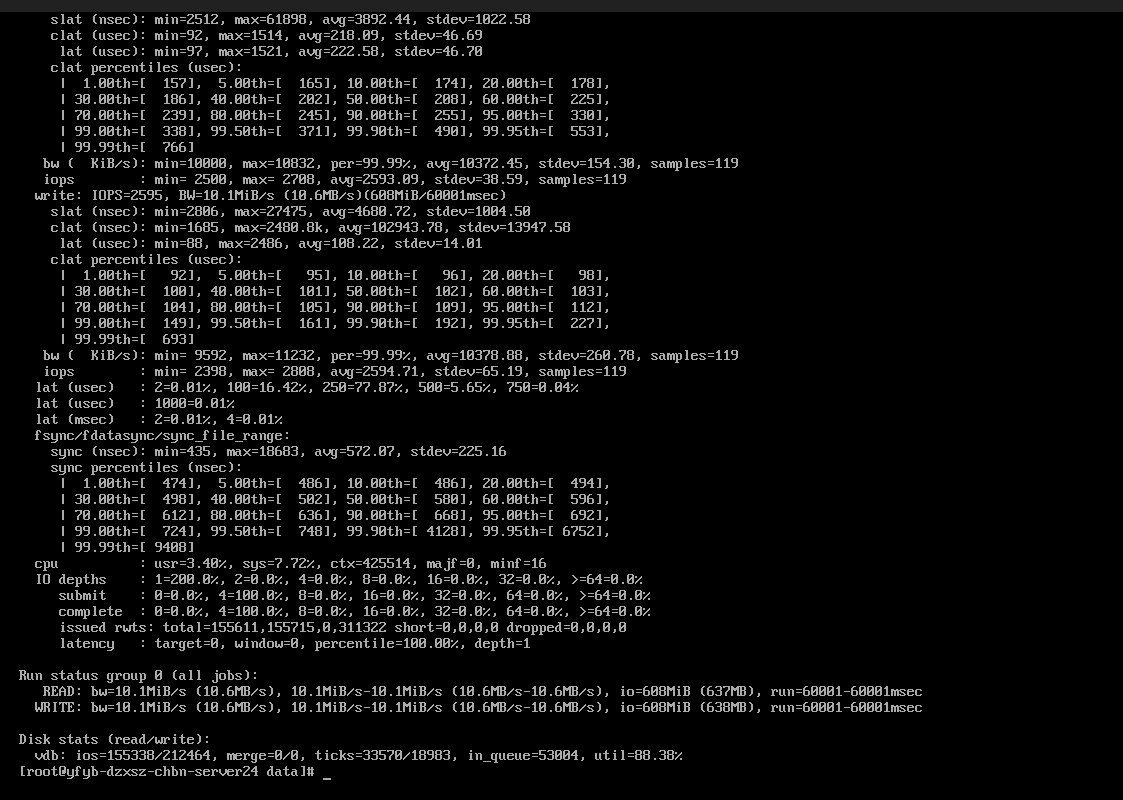

1. 硬盘信息
高性能云硬盘盘符为/dev/vdb,文件系统格式为xfs。
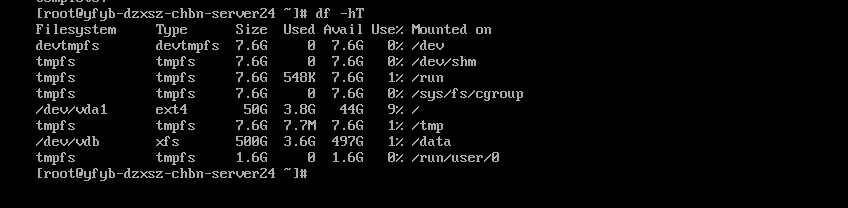
2. hdparm测试
hdparm --direct -t -T /dev/sda测试指令解析:
--direct:by-pass the kernels cache and use O_DIRECT to the drives cache;
-T: tests read speed from the cache (either the kernels or the drives if
--directis used);-t: indicates a drives read speed.
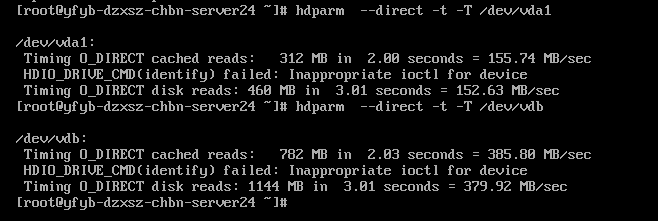
3. dd
dd if=/dev/zero of=test.file bs=512 count=1000 oflag=dsync测试指令解析:
if=an input device like /dev/zero or /dev/randomof=a file to write like test.filebs=is important for "benchmarking". It specifies how many bytes are written per operation. It can be specified using k, M, G, etc.count=specifies how many operations to do. bs=2M count=10 writes 10*2 MB = 20MB data.oflag=dsyncis something you want to always include when doing "benchmarks" with dd. oflag= specifies option flags and you want dsync (use synchronized I/O for data). You wouldn't want nonblock which specifies use non-blocking I/O or other flags.
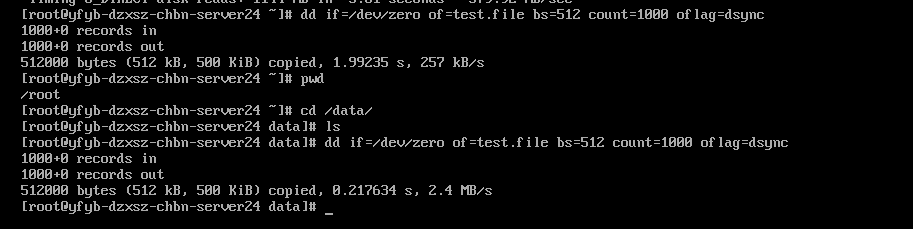
3. fio
测试指令解析:
--nameto name your test-runs "job". It's required.--eta-newline=forces a new line for every 't' period. You'll may want--eta-newline=5s--filename=to specify a filename to write from.--rw=specifies if you want to a read (--rw=read) or write (--rw=write) test--size=decides how big of a test-file it should use.--size=2gmay be a good choice. A file (specified with--filename=) this size will be created so you will need to have free space for it. Increasing to--size=20gor more may give a better real-world result for larger HDDs.A small 200 MB file on a modern HDD won't make the read/write heads move very far. A very big file will.
--io_size=specifies how much I/Ofiowill do. Settings it to--io_size=10gwill make it do 10 GB worth of I/O even if the--sizespecifies a (much) smaller file.--blocksize=specifies the block-size it will use,--blocksize=1024kmay be a good choice.--ioengine=specifies a I/O test method to use. There's a lot to choose from. Runfio --enghelpfor a long list.fiois a very versatile tool, whole books can and probably are written about it.libaio, as in--ioengine=libaiois a good choice and it is what we use in the examples below.--fsync=tellsfioto issue a fsync command which writes kernel cached pages to disk every number of blocks specified.--fsync=1is useful for testing random reads and writes.--fsync=10000can be used to test sequential reads and writes.
--iodepth=specifies a number of I/O units to keep in-flight.--direct=specifies if direct I/O, which means O_DIRECT on Linux systems, should be used. You want--direct=1to do disk performance testing.--numjobs=specifies the number of jobs. One is enough for disk testing. Increasing this is useful if you want to test how a drive performs when many parallel jobs are running.--runtime=makesfioterminate after a given amount of time. This overrides other values specifying how much data should be read or written. Setting--runtime=60means thatfiowill exit and show results after 60 seconds even if it's not done reading or writing all the specified data. One minute is typically enough to gather useful data.--group_reportingmakesfiogroup it's reporting which makes the output easier to understand.
组合参数,执行如下测试:
3.1 顺序读大文件
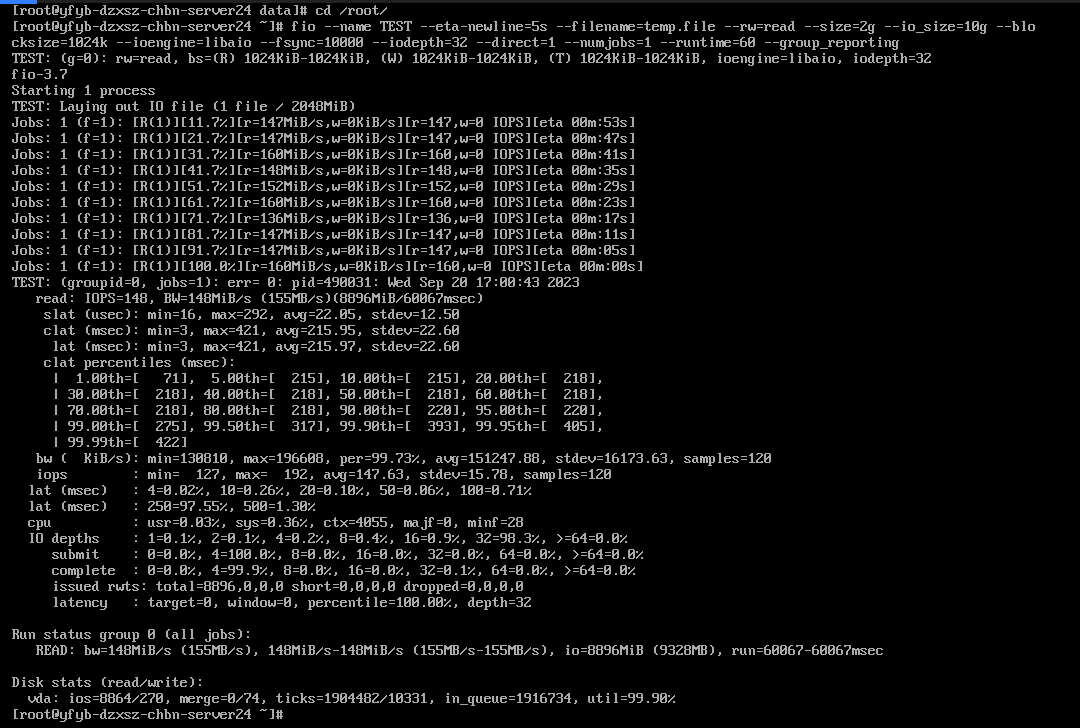
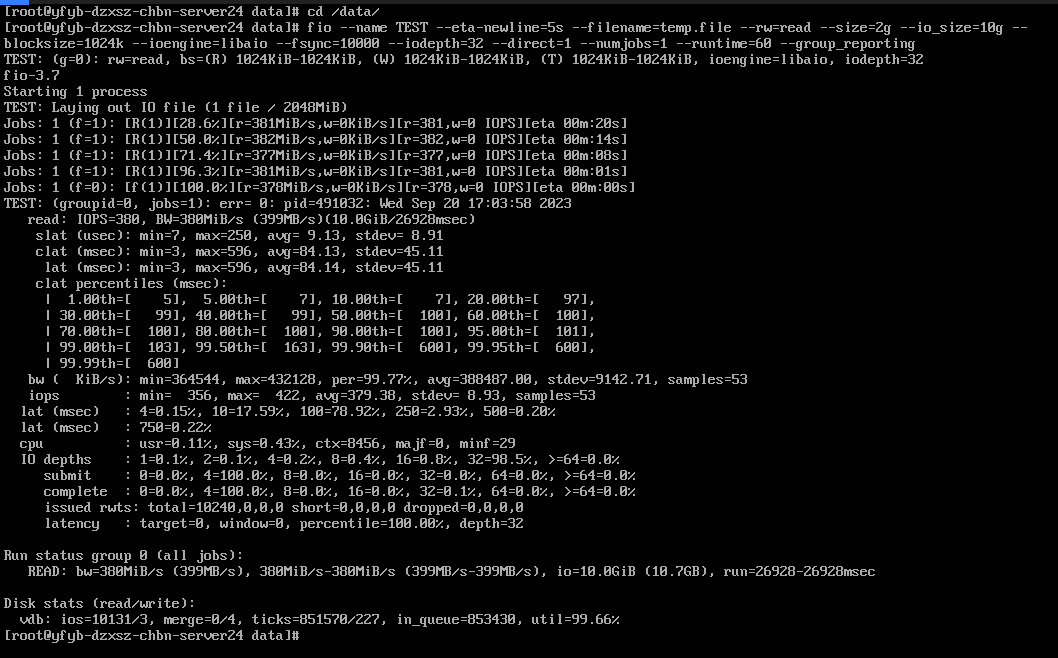
fio --name TEST --eta-newline=5s --filename=temp.file --rw=read --size=2g --io_size=10g --blocksize=1024k --ioengine=libaio --fsync=10000 --iodepth=32 --direct=1 --numjobs=1 --runtime=60 --group_reporting普通盘数据:
高性能云硬盘数据:
3.2 顺序写大文件
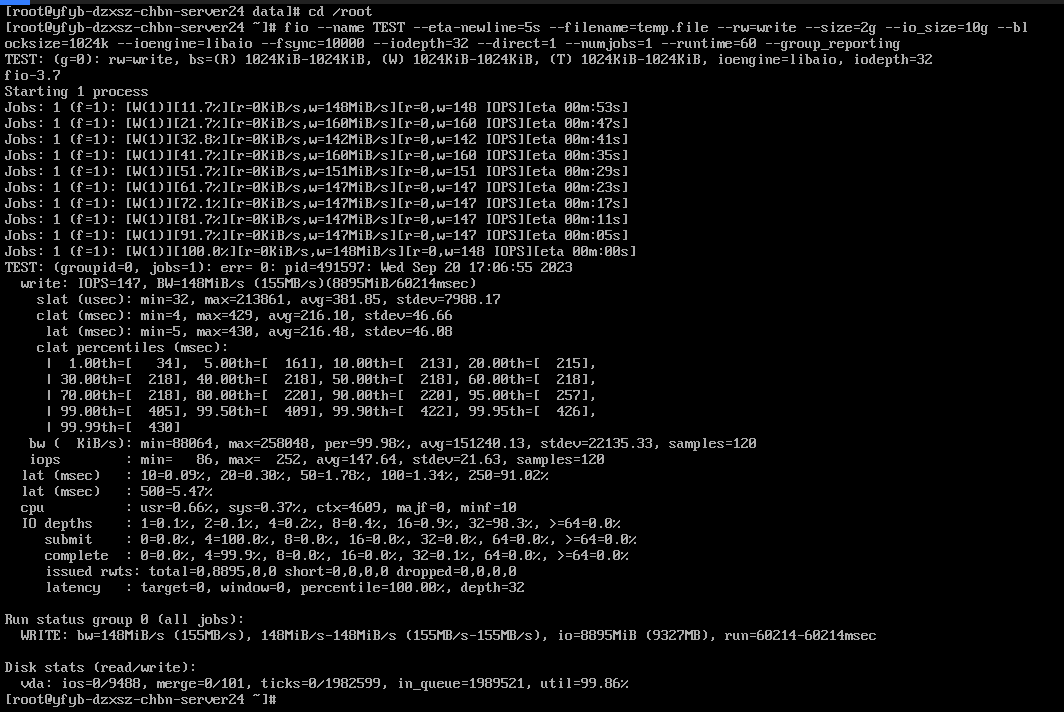
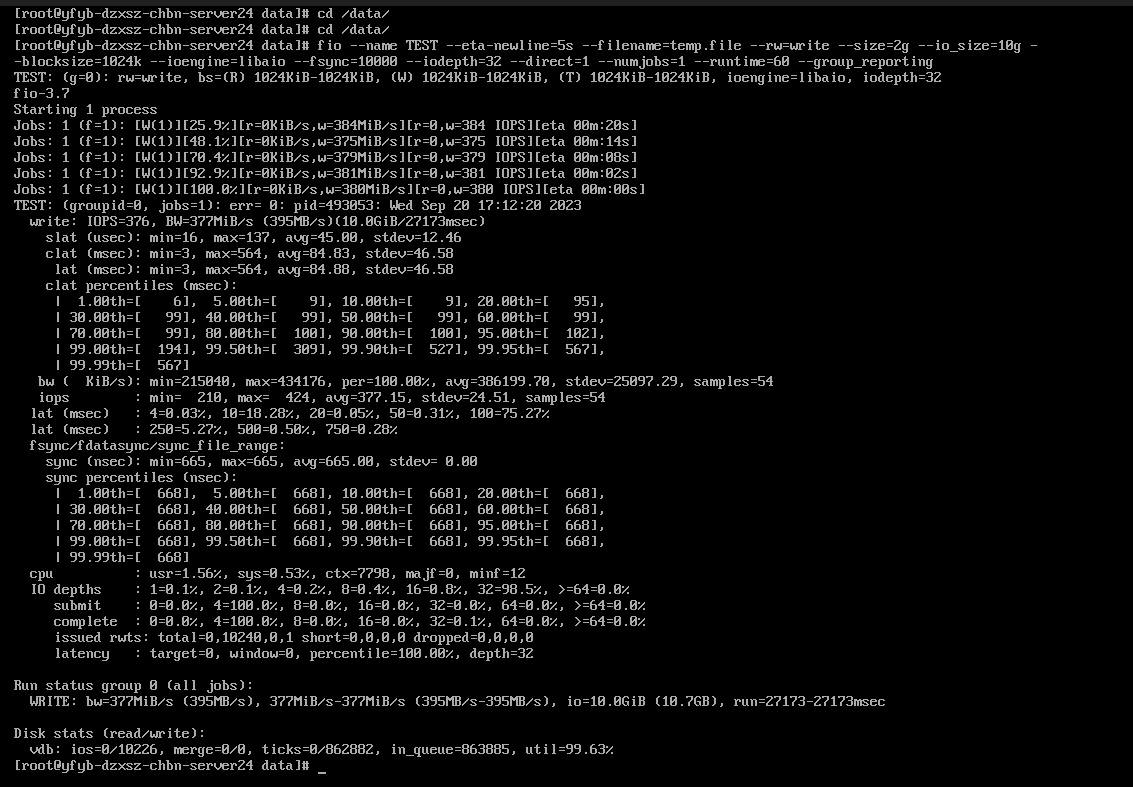
fio --name TEST --eta-newline=5s --filename=temp.file --rw=write --size=2g --io_size=10g --blocksize=1024k --ioengine=libaio --fsync=10000 --iodepth=32 --direct=1 --numjobs=1 --runtime=60 --group_reporting普通盘数据:
高性能云硬盘数据:
3.3 4K随机读
fio --name TEST --eta-newline=5s --filename=temp.file --rw=randread --size=2g --io_size=10g --blocksize=4k --ioengine=libaio --fsync=1 --iodepth=1 --direct=1 --numjobs=32 --runtime=60 --group_reporting普通盘数据:
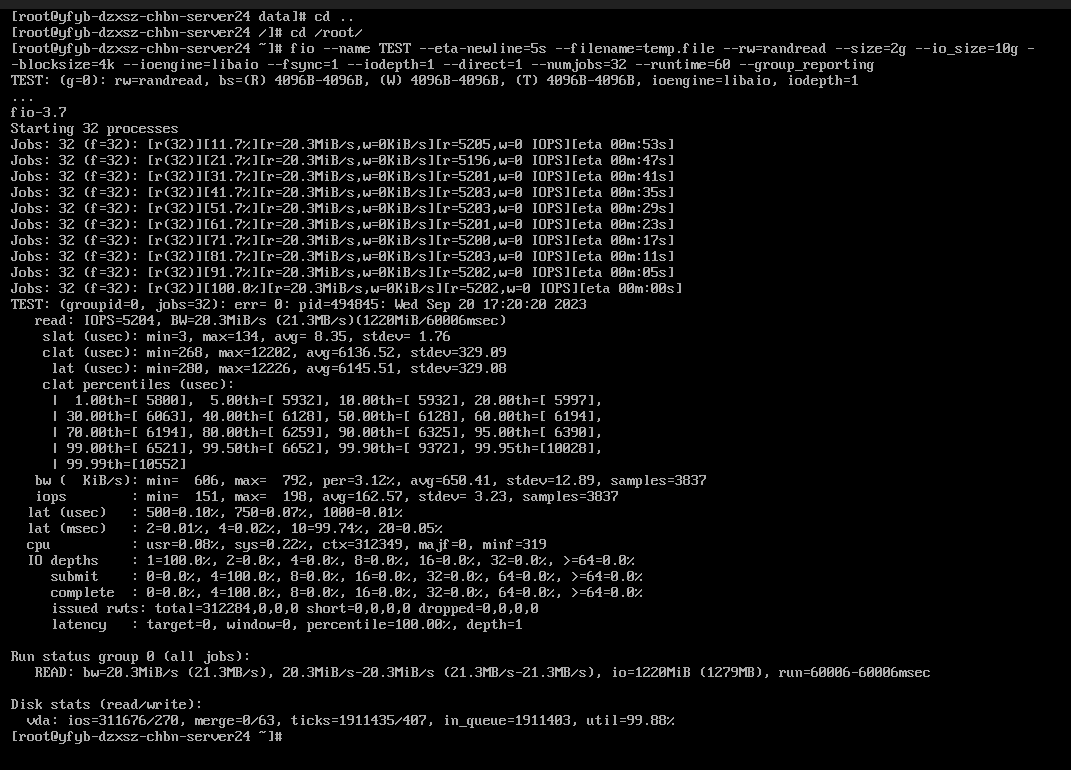
高性能云硬盘数据:
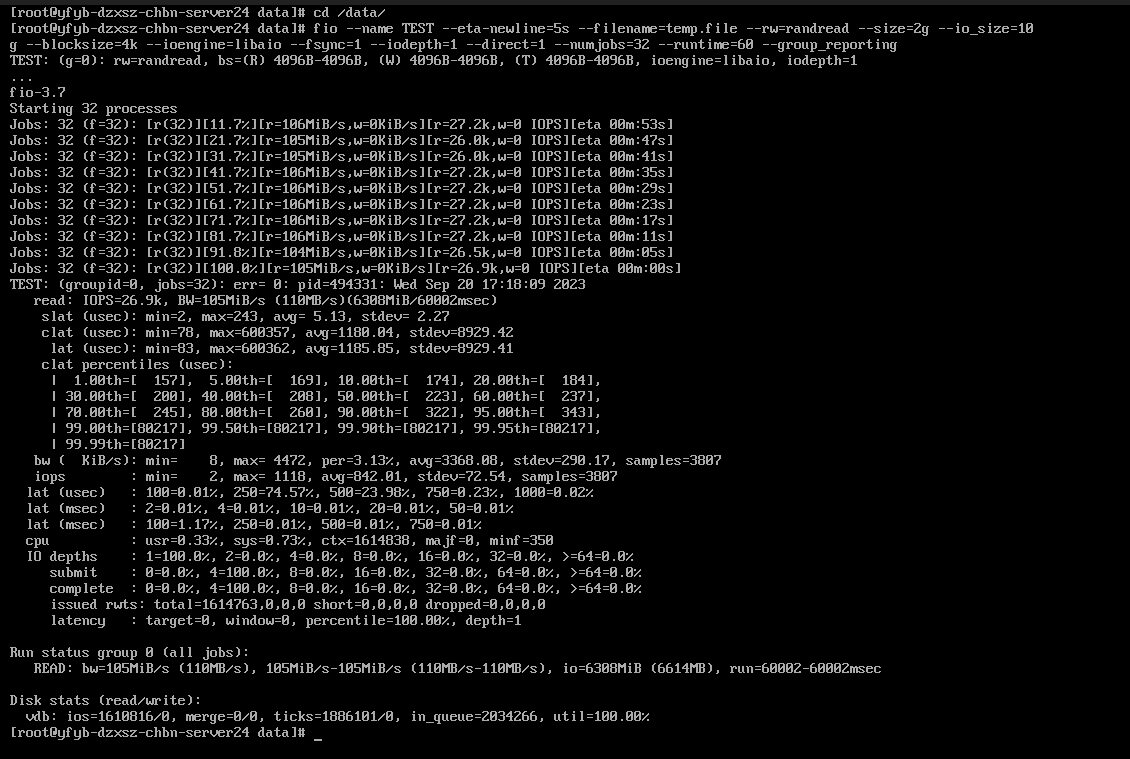
3.2 4K随机读写
fio --name TEST --eta-newline=5s --filename=temp.file --rw=randrw --size=2g --io_size=10g --blocksize=4k --ioengine=libaio --fsync=1 --iodepth=1 --direct=1 --numjobs=1 --runtime=60 --group_reporting普通盘数据:
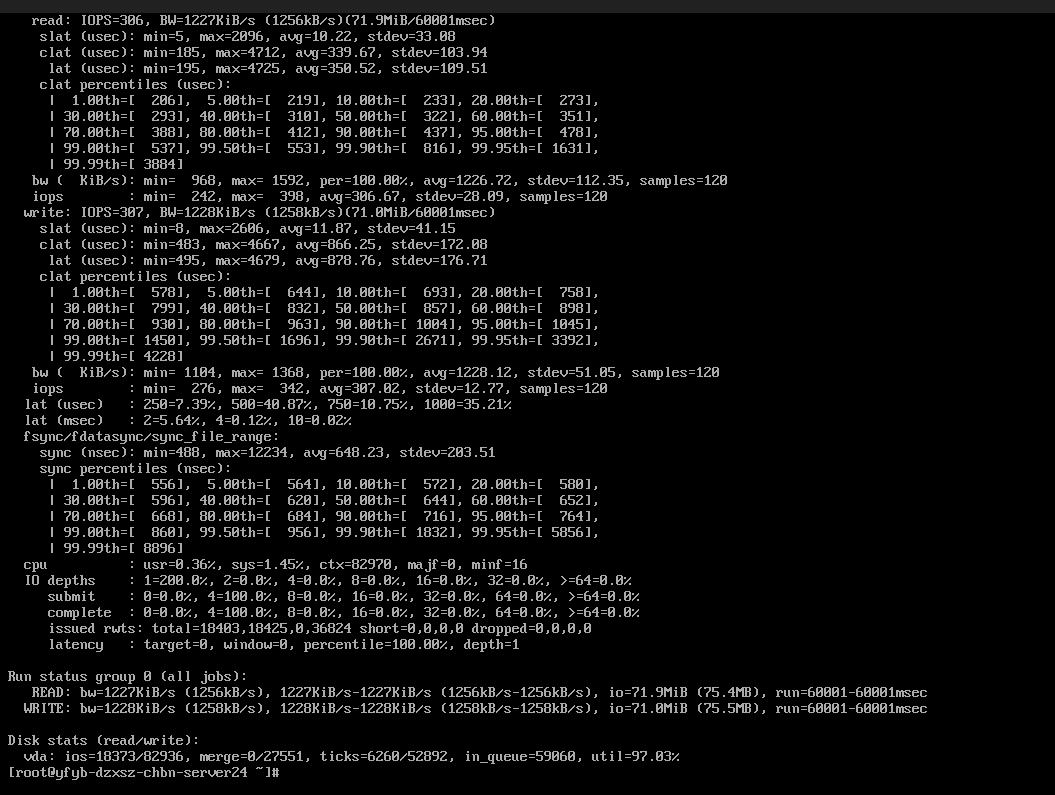
高性能云硬盘数据: